How to buy vehicles
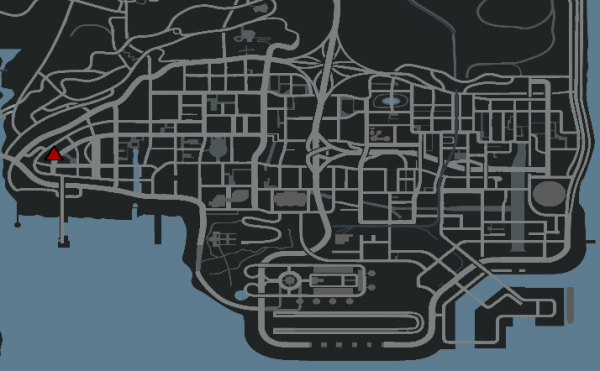
Reading this article, you will find out how you can buy a certain vehicle directly from the Dealership.
The Dealership is a building located in the east of Los Santos city and is known as a vehicle distribution agency.
Vehicles purchased from Dealership are new, have no damage and have the mileage set to 0 kilometers.
General Features
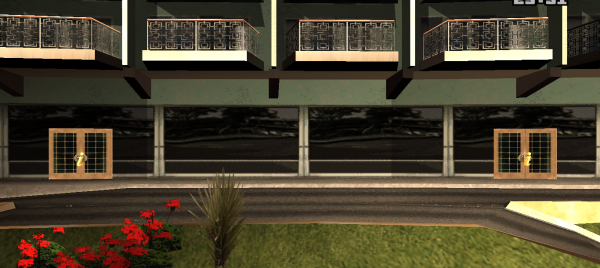
- The Dealership has two doors (see the image above):
- Left door - From there you can buy standard vehicles.
- Right door - From there you can buy premium vehicles.
- Standard vehicles can only be purchased starting from level 3. These vehicles are limited depending on the stock available on the server.
- Premium vehicles can be purchased regardless of your level. These vehicles have unlimited stock and can be purchased anytime.
- The /buyvehicle command is protected by PIN.
How to buy a new vehicle?
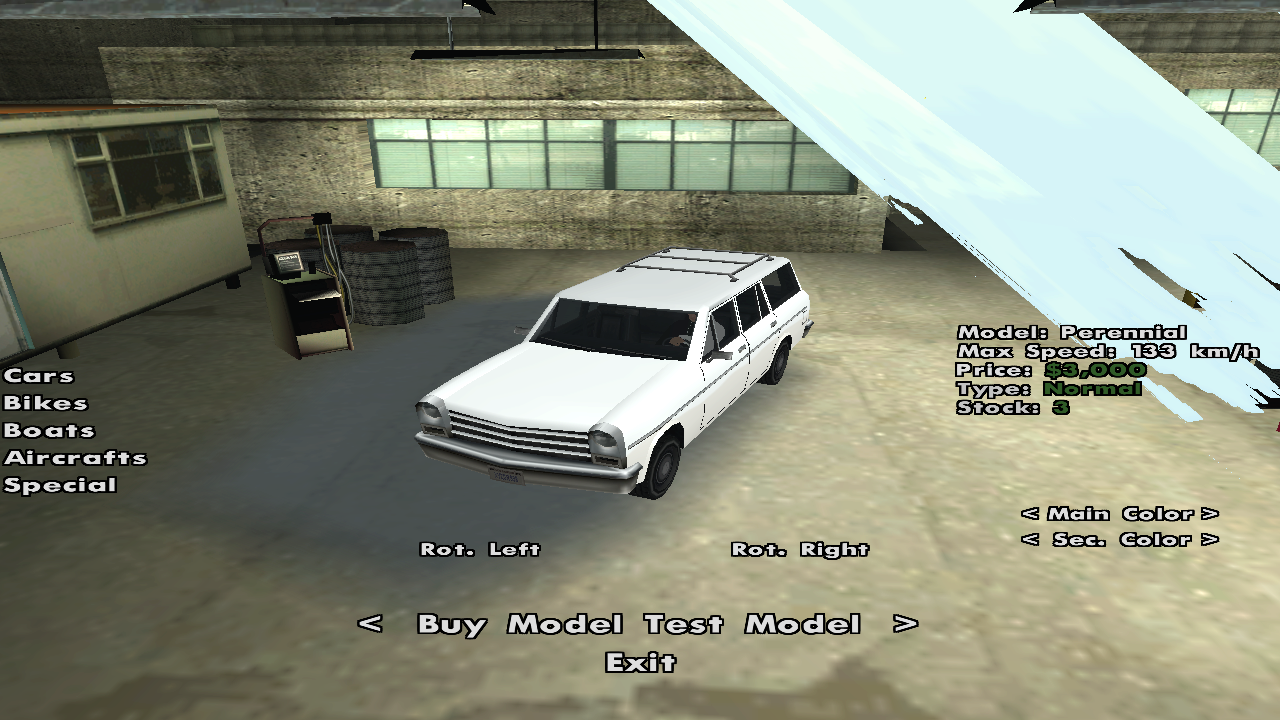
Standard Vehicles
To buy one of the standard vehicles from RPG servers, follow these steps:
- Position yourself near the left door of the Dealership.
- Type the /buyvehicle command.
- Select the desired vehicle (using the < and > arrows), then press the Buy Model or Test Model button if you want to test the vehicle. If you opt for testing the vehicle, you will have three minutes at your disposal. Vehicle testing will be done in a virtual world, which means you will not be able to meet any other player.
- Make sure the vehicle you want to buy is in stock. If it has 0 stock then it cannot be purchased from the Dealership but only from other players.
- As soon as you press the Buy Model button, you will exit the Dealership, and your new vehicle will be positioned in the underground parking of the Dealership. In case of boats and helicopters, use the /v command to locate the newly purchased vehicle.
Note: Find the standard vehicles list on the Standard Vehicles page.
Premium Vehicles
To buy one of the premium vehicles from RPG servers, follow these steps:
- Position yourself near the right door of the Dealership.
- Type the /buyvehicle command.
- The server will display some information about using and purchasing premium vehicles. After reading them, continue by pressing Order.
- To buy a premium vehicle make sure you have a free slot by typing the /vehicles command.
- Premium vehicles are permanent and cannot be sold to other players.
- They can be sold to the Dealership for 40% of their value. This amount will appear on the right when you choose to buy the vehicle.
- Select the desired vehicle (using the < and > arrows), then press the Buy Model or Test Model button if you want to test the vehicle. If you opt for testing the vehicle, you will have three minutes at your disposal. Vehicle testing will be done in a virtual world, which means you will not be able to meet any other player.
- As soon as you press the Buy Model button, you will exit the Dealership, and your new vehicle will be positioned in the underground parking of the Dealership. In case of boats and helicopters, use the /v command to locate the newly purchased vehicle.
Note: Find the premium vehicles list on the Premium Vehicles page.
Special Vehicles
To buy one of the special vehicles from RPG servers, follow these steps:
- Send a ticket on our website to the Shop section.
- Fill in the form with the desired vehicle and payment method (euro or in-game money).
- As soon as possible an administrator will take care of your ticket and will withdraw the amount from your account, respectively will set the desired vehicle on your account.
Note: Find the special vehicles list on the Shop Vehicles page.