General
This section presents the general commands of the B-Zone RPG server.
/id



Syntax: /id [PlayerID/PlayerName]
- The command displays information about that player:
- Player ID.
- Player name.
- Ping between player and server.
- Player's FPS in real time.
- Player's current level.
- Player status (AFK|SLEEP|AFK & SLEEP).
- Name of the faction they belong to.
- Type of skin they have (If they wear a Diamond or Onyx skin).
- Their skin ID.
/pay
Syntax: /pay [PlayerID/PlayerName] [amount]
- This command will send the specified amount of cash to that player.
- Players with a level lower than 3 can send a maximum of $10 per transaction.
- The limit for other players is $10,000. Transactions are made with a pause of a few seconds between them.
- You must be near that player to send them money.
/buy
Syntax: /buy
- With this command, you can buy items from 24/7 stores.
/givekey
Syntax: /givekey [PlayerID/PlayerName]
- This command allows you to hand over the keys of the vehicle you are in (you must own it) to another player. The owner does not lose their own keys. That person will remain in possession of the keys until they disconnect or use /throw.
/drink
Syntax: /drink [DrinkName]
- With this command you can buy drinks from clubs and bars.
/turfs
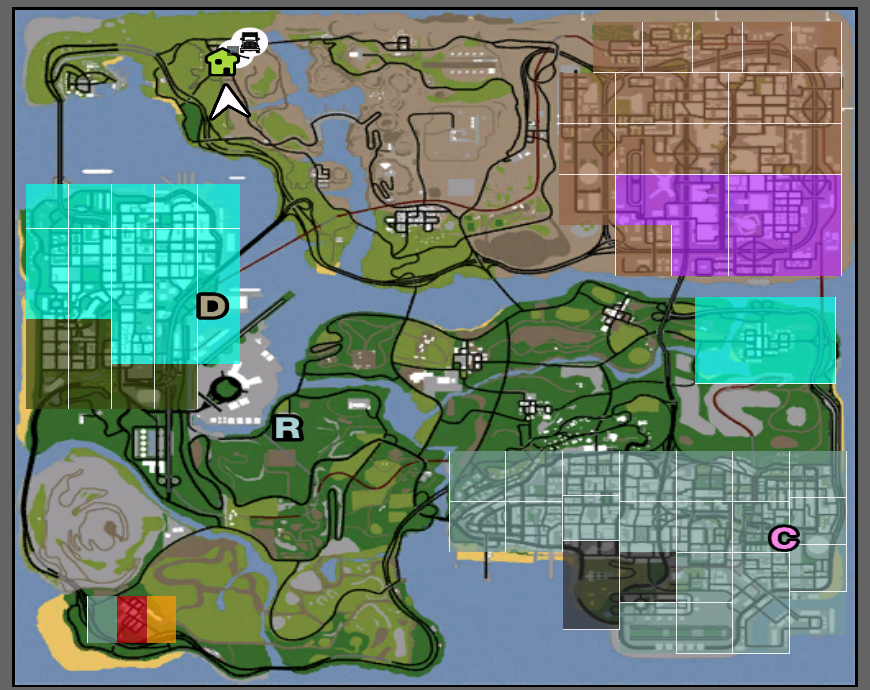
Syntax: /turfs
- The command will overlay the zones controlled by mafias, corresponding to the color, over the game map.
- Visible both on radar (minimap) and on the large map.
- To remove them, use the command again.
/licenses
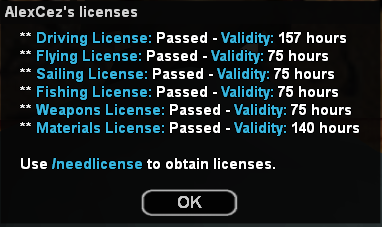
Syntax: /licenses
- This command displays a list of all licenses and information about them: whether you have them and how long they are still valid.
/requestlicenses
Syntax: /requestlicenses [PlayerID/PlayerName]
- The command sends a request to that player to see their licenses. If they accept, a dialog box similar to /licenses will be displayed.
/skills
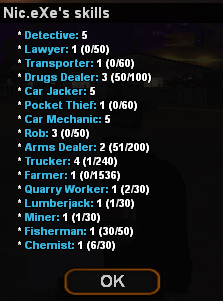
Syntax: /skills
- Displays the skills you have at jobs and how many more points you need to advance.
/sleep
Syntax: /sleep
- Enter and exit AFK mode.
/lotto
Syntax: /lotto
- Place tickets with different numbers in the lotto system.
/cigarettes
Syntax: /cigarettes
- Displays the number of cigarettes you have and whether or not you have a lighter.
/spawnchange

Syntax: /spawnchange
- The command allows you to change your spawn location. You can choose between spawning in a house (whether rented or owned) or in the default spawn location.
- For players who are part of a faction, they will have the option to select the faction HQ as a spawn point.
- For players without factions (civilians), they will have as spawn points a location from all three cities (Los Santos, Las Venturas, San Fierro) as well as spawn at the owned house or where they have rent.
You will not be able to use this command if you are wanted by the police.
/eject
Syntax: /eject [PlayerID/PlayerName]
- With this command you can forcibly remove one of the passengers from the car you are driving. Only drivers can use it.
/rob
Syntax: /rob
- Rob the bank in a group of 4-8 people or you can select the "Rob Solo" option and you can rob a house/business alone.
/robhelp
Syntax: /robhelp
- Provides information related to the robbery system.
/service
Syntax: /service [Taxi/Medic/Mechanic/Lawyer/Towtruck]
- Sends a request to a taxi driver, medic, mechanic, lawyer or towtruck to come to you. This request specifies the location where you are and can be accepted or not by them.
/report
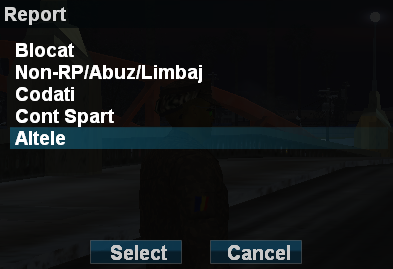
Syntax: /report
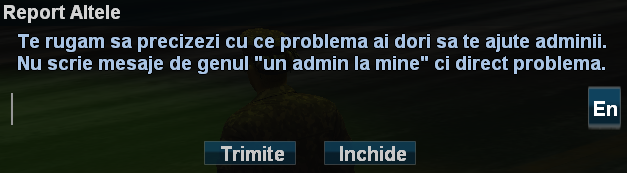
- The command sends a notification request to the server administrators. If your request is accepted, an admin will open your report. You can talk to them using the /al command.
- The maximum number of unopened requests (reports) at the same time is 1. If no admin closes or opens your report in 5 minutes, it will close automatically.
Attention! This command should only be used to report serious problems, players who cheat or other similar situations. Using offensive language or meaningless requests will not be tolerated and will bring you sanctions.
/helpme
Syntax: /helpme [Text] or Syntax: /n [Text]
- The command sends a help request to the server helpers. If at least one helper is on duty, the question will be assigned to them. You can receive a global response, meaning that the question and answer will appear on chat to all players with levels between 1 and 40. This option can be disabled from the /tog command -> Newbie Chat. Also, helpers can open a private conversation and you can talk to them using the /hl command. The maximum number of unopened help requests (helpme) at the same time is 1.
Attention! This command should only be used to ask questions or for help related to the B-Zone RPG server. Using offensive language or meaningless requests will not be tolerated and will bring you sanctions.
/speedlimit
Syntax: /speedlimit [0 or 90-230]
- With this command, you can set a maximum speed for the car you are in. This speed can vary between 90 km/h and 230 km/h. To remove this restriction, use "/speedlimit 0".
/accept

Syntax: /accept [Service] [PlayerID/PlayerName]
- You can accept one of these services if it is offered to you by another player or by the server: drugs (Drugs), repairs (Repair), Job, interview (Live), fuel supply (Refill), fine (Ticket), newspaper (Paper), licenses (Licenses), membership in an escape group (Escape), trade (Trade), Taxi, Medic, lawyer (Lawyer), mechanic (Mechanic), release from prison (Free), weapon (Gun), materials (Materials), /needlicense request (Needlicense; for Instructors), Lawyercall, Lesson, Rob, Dice (Dice), Alliance, Eventhelper, Pubg, Friend, Bunker.
/cancel

Syntax: /cancel [Service]
- You can refuse any of the above services.
/usedrugs
Syntax: /usedrugs [Marijuana/Cocaine/Ecstasy/Meth]
- You have the possibility to use the drugs you own.
/fill
Syntax: /fill [percent]
- You fill the fuel tank with the entered percentage.
/fillgascan
Syntax: /fillgascan
- You fill the fuel canister.
/needlicense
Syntax: /needlicenses
- The command sends a request to all server instructors, saying that you need a license. They will be notified about your level and the language you play in (RO/EN). If your request is accepted, that instructor will have the location where you are marked on the map, and the others will see who accepted.
/buyweaplic
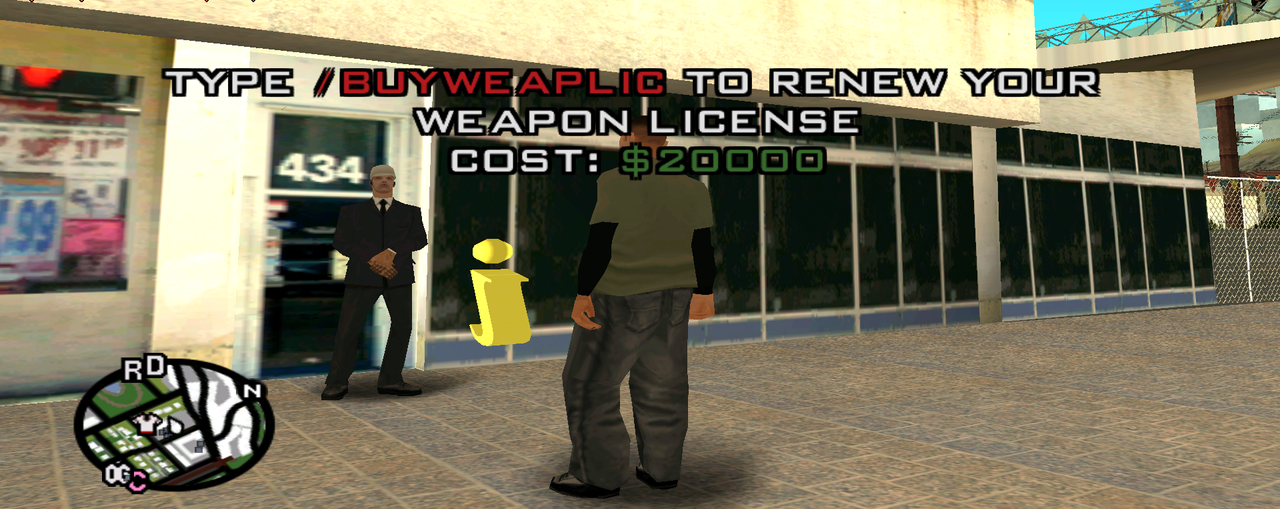
NPC weapon license purchase
Syntax: /buyweaplic
- Through this command you have the possibility to buy the weapon license directly from an NPC without needing an instructor to offer it to you if you have level 5+.
- There is such an NPC at the HQ of each School Instructors faction as well as an info point about the price.
- Instructors will not be able to purchase or renew their license from these NPCs.
- Players with wanted will have the possibility only to renew their license.
- To be able to get the license from these NPCs, you must first request an instructor to see if there is someone on duty to grant you the license. The request will be automatically canceled after 5 minutes of waiting, after which you can get the license yourself.
- The purchase price of the license varies depending on the level as follows:
- For players with a level between 5 and 9 the license purchase price is $5,000.
- For players with a level between 10 and 49 the license purchase price is $10,000.
- For players with level 50 or higher the purchase price is $20,000.
Note: The money paid for the license will go to the server, so no one gets possession of it.
/lawyers
Syntax: /lawyers
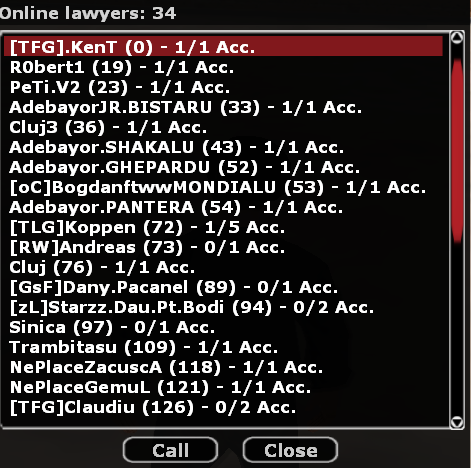
- Displays a list of all server lawyers, along with the number of accept points held. You can call them by clicking on one of them.
/animlist

Syntax: /animlist
- Displays a list of all animations available on the B-Zone RPG server.
/carradio
Syntax: /carradio or Key: R
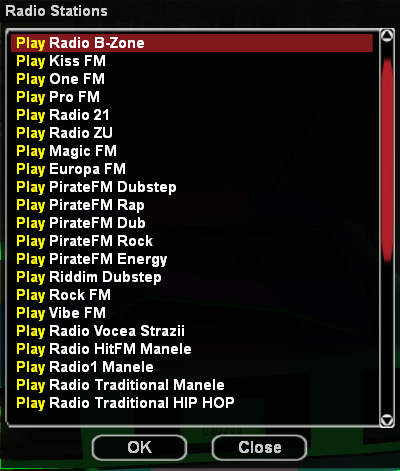
- Only drivers can use the command. This opens a dialog box from where you can choose the radio you want to listen to.
/mp3
Syntax: /mp3
- Equivalent to the "/carradio" command, with the difference that it can be used anywhere, on foot.
Note: Requires an MP3 Player (purchasable from a 24/7) and premium account.
/throw
Syntax: /throw [Keys/Guns/Drugs/Materials]
- Using this command, you can throw on the ground the keys, weapons, drugs or materials you have on you. A corresponding roleplay message will appear on chat to all nearby players. The command cannot be used for approximately 2 minutes if you have been pulled over by a police officer.
/trade
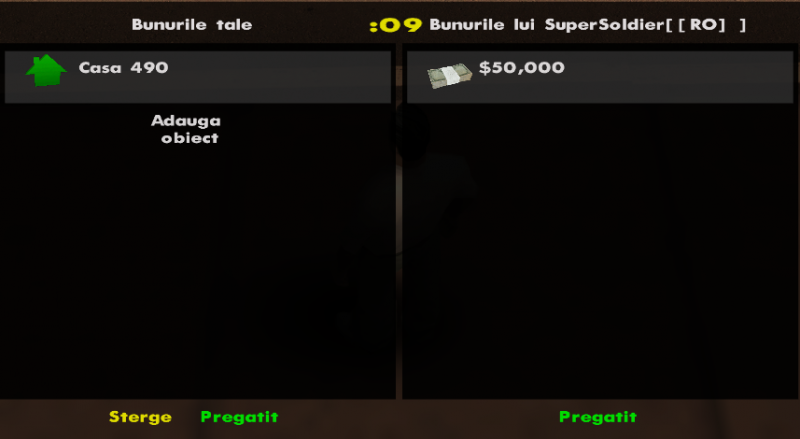
- Sends a trade invitation to another player, using the trading system.
/givecigarette
- Using this command, a player can offer a cigarette to another player.
Example: /givecigarette Adi007 will offer player Adi007 a cigarette.
/tog
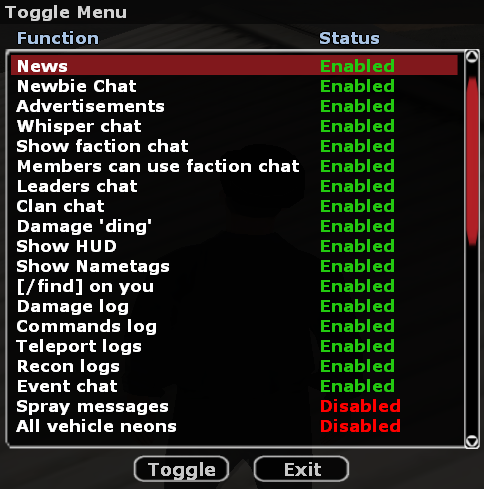
- Using this command, players will be able to activate or deactivate certain functions, messages or logs, these being divided into categories:
News, Newbie Chat, Advertisments, Whisper Chat, Show Faction Chat, Clan Chat, Damage 'ding', Show HUD, Show Nametags, Event Chat, Spray Messages, Admin Punishments, Confidential Messages, Neons, Surfing, All vehicle neons
/clanleaders
- This command will display all clan leaders connected to the server.
/fps
- This command will create a text in the top-right or bottom-left corner of the screen, constantly displaying the FPS.
- The position of the text, its activation and deactivation are done by typing the command successively.
Note: The /fps command will not work for players who consume drinks (/drink), because in those cases the displayed FPS is erroneous.
/cheater
Syntax: /cheater [ID/Player] [Code] - The command sends a notification request to the server administrators to report a possible cheating player. You will receive a message on chat when the admin takes care of your report.
/referrals
- This command shows you all online players who are registered on your referral ID.
- In the dialog that appears, you will be able to see some information about them.
/clanHQs
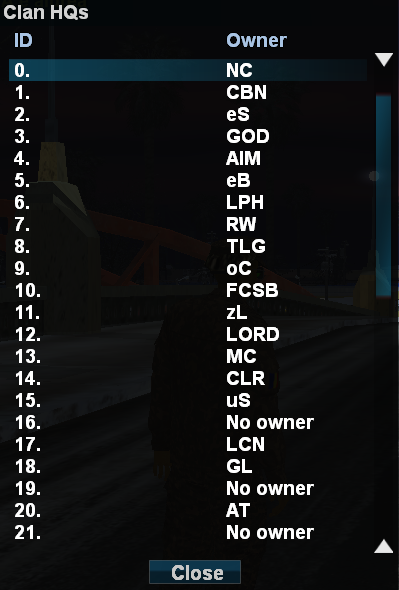
- This command shows you the list of all clan HQs on the server as well as their ID so you can locate them through the /gps command.
/safeboxes
- This command shows you the list of all safeboxes you own on your account, along with its location on the map and the occupied capacity out of its total capacity.
/opensafe
- This command allows you to open the safebox you placed on the map to deposit/extract/throw weapons/drugs/materials from it.
Note: You must be near the safebox when you want to open it to be able to interact with it.
/clearfp
- This command allows you to use your ClearFP type gratuity through which you remove all the Faction Punish you have at that moment.
Note: The command can be used regardless of how much FP you have active on your account, it will be set to 0 after using the gratuity.
/goldaward
- This command shows you the list of the most active 15 players on the server by real hours played (without sleep).
/premiu
- This command shows you the current tier from the chest system along with the number of real hours played that day.
From here you can also see information about the chances of each prize for a certain number of hours played that you can unlock.
/surrender
- This command allows you to surrender to Jail if you have the right to surrender. You must wait about 3 minutes from the moment you used the command, department members will be informed and if no one comes to arrest you then you will be automatically arrested by the server.
Note: If there is no department member online on the server at that moment, you will be directly arrested without having to wait the 3 minutes.