Locations
The B-Zone RPG server has a single command that includes absolutely all important locations, as well as faction headquarters.
/locations | /gps
Using this command, the server will display a frame that includes 10 elements:
- Important locations
- Faction HQs
- Houses
- Businesses
- Clan HQs
- ATMs
- 24/7s
- Gas stations
- Clothing stores
- Food stores
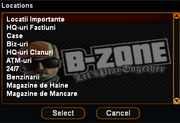
Important locations
If you select the first element from the list, you will be shown a list of all important server locations.
Example: Banks, CNNs, Gun shops, DMV, City Hall, etc.
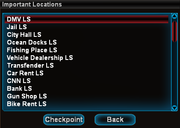
Important locations
Faction HQs
If you select the second element from the list, you will be shown a list of all server faction headquarters. Example: 69 Pier Mobs HQ, Hitmen Agency HQ, Tow Truck Company HQ, National Guard HQ.
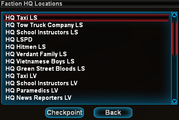
Faction Headquarters
Houses
If you select the third element from the list, you will be shown a dialog in which you must enter the ID of the house you want to locate.

Businesses
If you select the fourth element from the list, you will be shown a dialog in which you must enter the ID of the business you want to locate.

Clan HQs
If you select the fifth element from the list, you will be shown a dialog in which you must select the clan you want to locate.
Note: For more information about clan HQ IDs, use the [/clanhqs] command.
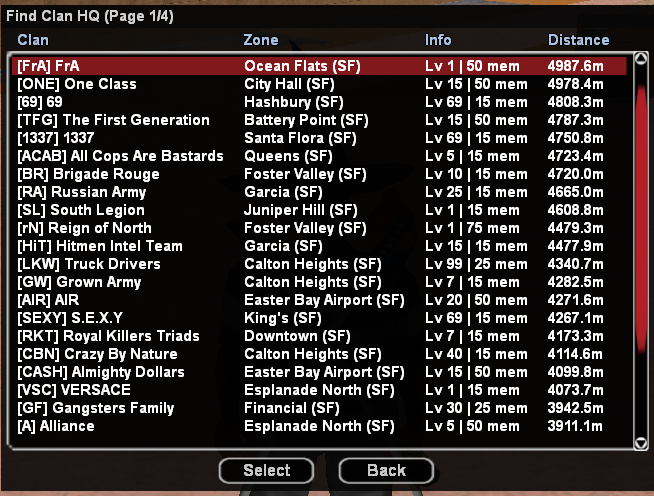
ATMs
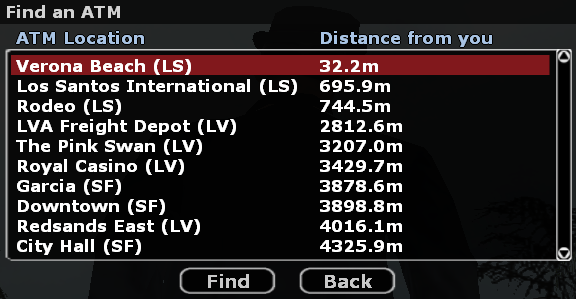
If you select the sixth element from the list, you will be shown a list of all server ATMs.
24/7s
If you select the seventh element from the list, you will be shown a list of all server 24/7s.

Gas stations
If you select the eighth element from the list, you will be shown a list of all server gas stations.

Clothing stores
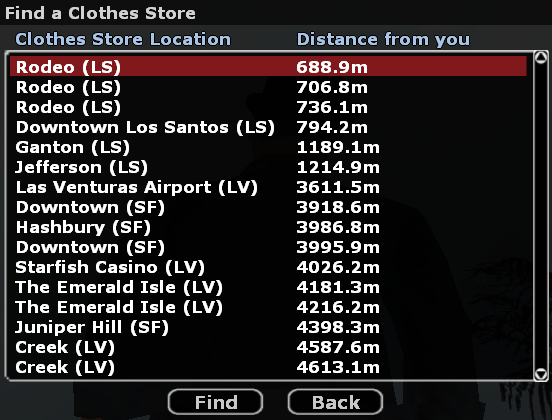
If you select the ninth element from the list, you will be shown a list of all clothing stores available on the server.
Food stores
If you select the tenth element from the list, you will be shown a list of all food stores available on the server.
