Business
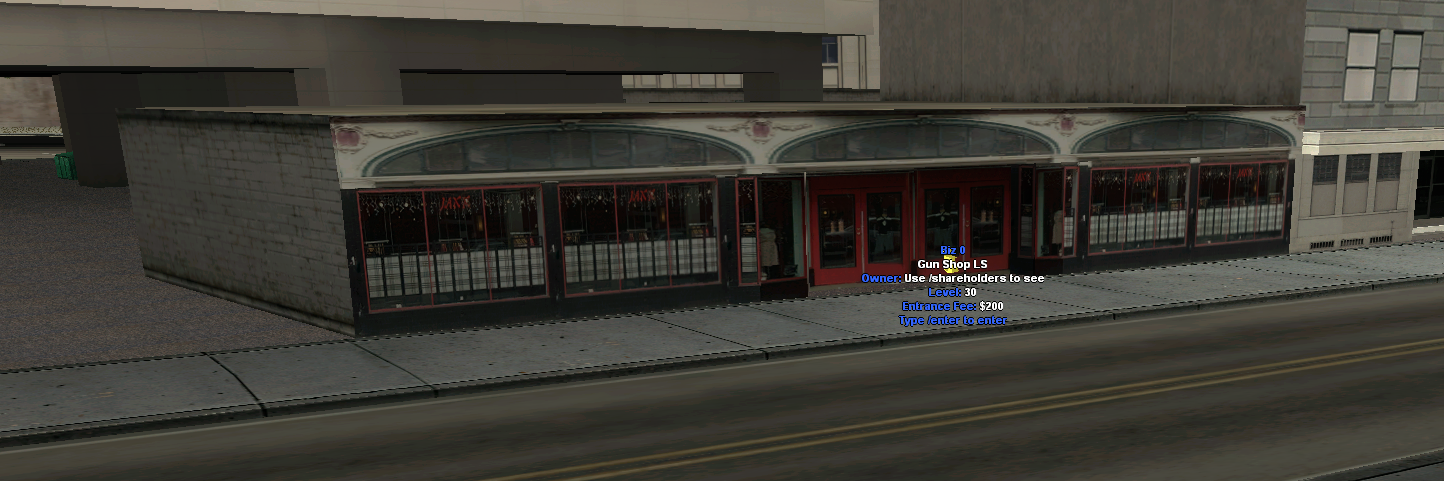
To find out absolutely all the control commands of a business, commands whose meaning is explained on this page, use the "/businesshelp" command on the servers.
/bizradio
Using this command, the business owner will be able to play a radio station or a YouTube link inside their own business. When a player enters that business, they will hear the radio station or YouTube soundtrack that have been set by the owner. By using the /bizradio command inside a business that does not belong to you, you will be able to control your ability to hear audio streams inside the business.
Also, sound playback can be stopped by the owner using this command.
/enter
The /enter command is usually used to enter buildings, in this case, businesses. The command is executed successfully (you will be able to enter the business), only if you are close enough to the door of that business. For a faster execution, you can use the equivalent of this command, namely the "F" key on your keyboard.
/exit
The /exit command is usually used to exit a building, in this case, a business. The command is executed successfully (you will be able to exit the business), only if you are close enough to the exit door. For a faster execution, you can use the equivalent of this command, namely the "F" key on your keyboard.
/sellshares
After using this command, you will sell a business share to the state, the only money you will receive being that in the business safe, if it is not empty.
/shareholders
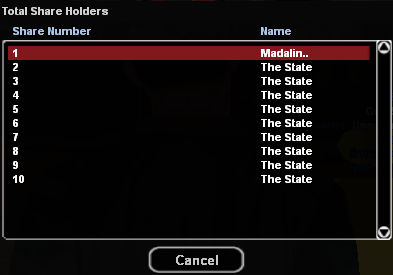
After using this command, you will be able to see who the shareholders of a specific business are.
/bizwithdraw
The command has the effect of withdrawing money from the business safe, money produced from the entry fee that players pay when entering the business.
To find out what amount of money you have in the business safe, type the /bizwithdraw command, without specifying the amount you want to withdraw from the safe.
If you want to withdraw a certain amount of money, type the command following the model: "/bizwithdraw 500", will withdraw $500 from the business safe.
For a correct and successful execution of the command, you must be inside the business (if you can penetrate inside it), as close as possible to the exit door, or outside it, as close as possible to the entrance door.
/bizinfo
To use the command you do not have to be near the business or inside it, the command being usable anywhere you are if you are the owner of a business.
By typing the command, the server will show you some details about your business:
- Business level.
- Entry fee value.
- Total revenue.
- The minimum value for which the business can be sold.
- The percentage of shares you hold in a certain business.
- Business production based on shares held.
/bizstatus
After using this command, you will be able to see information about a business safe and the minimum value at which it can be sold.
/mybiz
To use the command you must be the owner of a rent type business (car, bike, airplane), and using this command you will be able to manage the owned vehicles and also buy new vehicles within the business if you have not reached the limit of 10 vehicles imposed by the server.
/arenas
Using the /arenas command you can see if the arenas available on the RPG server are occupied or not.
/help
Using the /help -> Businesses command you can find all the information presented above directly in the game.