Friends
General characteristics
- If you have friends and want to have a closer connection with them, then add them to your friends list. All the information you need to know before forming a list of friends is below.
- A regular player can add up to 40 players to their friends list.
- A player who has a premium account can add up to 60 players to their friends list.
How do you add a friend?
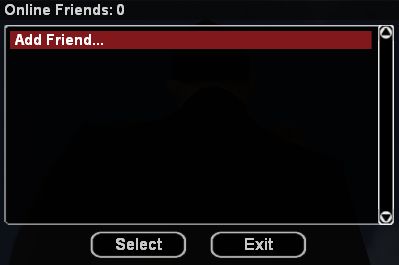
- To add a friend to the list, use the /friends command or the Y key, after which the friends list will be displayed.
- After opening the table, press the Add Friend... button.
- In the newly opened box, you must enter the full/partial name or ID of the player you want to add to your friends list.
- After entering the necessary information, press the Submit button.
- After completing the above steps, the server will send a corresponding message to the player, informing them about the desire to be added to your friends list. If they want to accept this (to become friends), they must use the /accept friend command. If they do not want to accept the invitation, they simply need to ignore it and will not be added to the friends list.
Specific commands
/friends
This command opens the table with the friends list from where a player can quickly keep in touch with them. The friends list (/friends) will display friends ordered by status (online, AFK, offline). Also, online and AFK friends will be ordered by ID. As an alternative to the command, you can use the Y key.
Advantages
- Having a player on your friends list makes it much easier to contact them (SMS or call) directly from the table displayed by the /friends command.
- By typing the /friends command, you quickly find out whether a player on your friends list is connected to the server or not.
- When a friend connects to the server, you will receive a corresponding notification.