Useful Commands - Houses
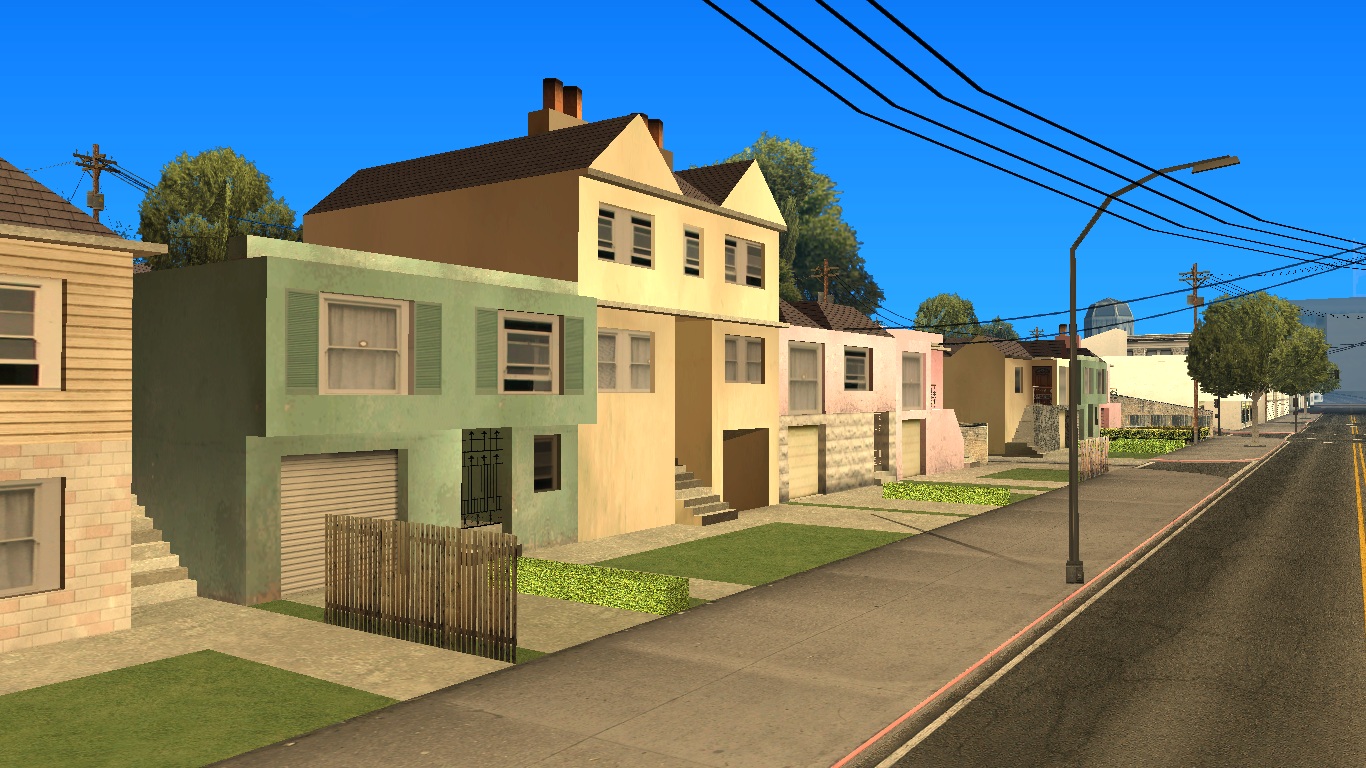
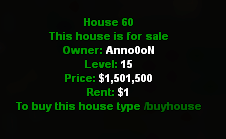
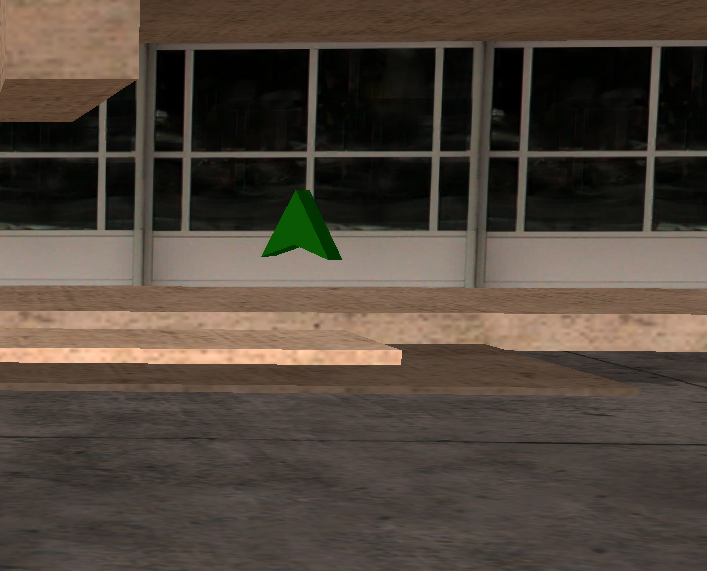
The houses on our servers are designed in RPG style, which means they closely mimic real houses.
B-Zone provides you with the possibility to buy a house, sell a house, the possibility to rent it, and why not, it offers you a perfect place to relax by sleeping, using the /sleep command.
- Only tenants and the house owner are allowed to use the /tenants and /sleep commands.
- Only the house owner is allowed to use the /open, /setrentable, /setrent, /evict, /evictall, /sellhousetostate, /houseprice, /housewithdraw, /houseupgrade commands.
- If the house door is not locked by its owner, absolutely any player is allowed to use the /heal, /enter and /exit commands. If the door is locked, the commands are only available to tenants and the owner.
- The furniture inside a house will become invisible to all players if the property owner receives wanted (wanted level).
- The owner of a property will not be allowed to use commands for adding or editing furniture elements if they have at least 1 wanted star.
Below you can find all the house control commands.
Commands
/enter
The /enter command is usually used to enter buildings, in this case, houses. The command is executed successfully (you will manage to enter the house) only if you are close enough to the door of the respective building. For faster execution, you can use the equivalent of this command, namely the "F" key on your keyboard.
/exit
The /exit command is usually used to exit a building, in this case, a house. The command is executed successfully (you will manage to exit the house) only if you are close enough to the exit door. For faster execution, you can use the equivalent of this command, namely the "F" key on your keyboard.
/open
With the help of this command you can lock and unlock your own house. If you choose to lock the house, the only players who will be able to continue entering the house are the tenants and the owner.
You can benefit from this command only if you are the owner of a house. For successful execution of the command, you must be inside the house as close as possible to the exit door, or outside it, as close as possible to the entrance door.
/rentroom
With this command you can rent a house, to have a new spawn point when you connect to the server, so you can use the [/sleep] command inside it.
To rent a house you need money in the bank. The rent is paid automatically every Payday (fixed time) from your bank account.
/unrentroom
With this command you give up the current rent you have. You can use this command before choosing a new rent.
/setrentable
The command tells the server whether you want players to be able to become your tenants. To offer the house for rent, use the command "/setrentable Yes", otherwise use "/setrentable No".
/setrent
Using this command, you can set the house rental price. Each tenant you have who is online (connected to the server) at PayDay will have the respective amount of dollars deducted, the money will be deposited in the house safe. The command is executed correctly and successfully only if you have chosen a price between $0 and $1000.
Note: You are allowed to use the command only if the "/setrentable Yes" command function is enabled.
/tenants
The command will display both the number and names of all tenants online (on the server) at the time of typing the command. Only tenants and the house owner have access to using this command.
/evict
The command has the effect of breaking the house rental contract with a tenant and is available to any house owner. For correct and successful execution of the command, use it in the following two ways: /evict
Example: Consider the player Adi007 as being the tenant of a house and having ID 12. Therefore, the house owner will break the rental contract with Adi007 using one of the following examples: /evict Adi007 or /evict 12.
/evictall
The command has the effect of breaking the house rental contract with absolutely all tenants that the house is hosting at the time of using it.
/sellhousetostate
After using this command, you will sell the house to the state, the only money you will receive being the one in the house safe, only if it is not empty.
/houseprice
The correct use of the command will lead to activating the possibility for a server player to buy your house in exchange for the amount of money you have set.
Example: "/houseprice 15000" will set the house price to $15,000.
The minimum price you can set for your own house is represented by the product between the house level and the number 1,000.
Example: If you own a house that has level 15, the minimum price you can set is 15 multiplied by 1,000, which is $15,000
The maximum price you can set for your own house is represented by the product between the house level and the number 200,000.
Example: If you own a house that has level 15, the maximum price you can set is 15 multiplied by 200,000, which is $3,000,000
This command offers you the chance that your property can be sold even if you are offline. The money will enter your bank account.
/heal
To use the command you must be inside a house that you own or have been a tenant of for at least 10 minutes. After executing it, you will have 100 health points (HP). If the player typing the command is part of a department and at the same time the house has the "armour upgrade", they will have 100 health points and 100 armour points.
/sleep
The command is designed to mimic sleeping, thus, by using the command, a specific animation will be applied to your character. When you sleep, other players will see in certain situations, next to your name, the text "(AFK)". Examples of commands that experience the described situation: /id, /members, /clanmembers, etc.
If you sleep at PayDay time, you will receive the respect point needed to advance in level, but the number of hours played will not increase.
The command does not work near the house exit door and not if you are wanted by the police or have committed a crime in the last 60 seconds since typing the command. No player will be able to kill you while you sleep.
/houseupgrade
The command will display a simple menu from where you can renovate your house. Currently, with the help of this menu you will be able to add the possibility to increase health and armour reserves, add decorative objects (furniture) and activate the possibility to play a radio station inside the house.
The Heal and Armour functions are put into effect when a player uses the "/heal" command in the house. Each object selected from the menu will cost $1,000. House upgrades will be lost when selling the house. Players will be able to add up to 170 objects maximum in the house.
/removefurniture
By typing this command, all furniture items added through the /houseupgrade command will be removed. The money spent on the furniture to be removed will not be refunded.
/editfurniture
Using this command, the server will display a list of all furniture objects you have added to the house. By clicking on one of the objects in the list, you will be able to remove that object or edit its position. The order of displaying objects in the menu is from the newest added to the oldest added.
/defaultfurniture
By typing this command, you can choose between creating or destroying the decorative objects of the property (the initial ones, not those created by you). For the change to take effect, you will need to leave the server and reconnect to it. It is possible that the initial objects of a house cannot be affected by this command (you cannot hide them).
/housewithdraw
The command has the effect of withdrawing money from the house safe, money produced from the rent that tenants pay at each PayDay.
To find out what amount of money you have in the house safe, type the command /housewithdraw, without specifying the amount you want to withdraw from the safe.
If you want to withdraw a certain amount of money, type the command following this model: "/housewithdraw 500", will withdraw $500 from the house safe.
For correct and successful execution of the command, you must be inside the house as close as possible to the exit door.
/houseinfo
To use the command you do not need to be near the house or inside it, the command being usable anywhere you are if you are the owner of a house.
By typing the command, the server will show you some details about your house:
- The house level.
- The number of tenants connected to the server.
- Whether the house is rentable or not. If it is rentable, the rent value you have set using the /setrent command will appear.
- Whether the respective house is locked or not.
- The minimum value for which the house can be sold.
- The value of the tax charged by the state (the money you will not receive when someone buys your house, but it will be deducted from the buyer's account). The tax value is equal to the product between the house level and the number 100. Example (house with level 15): 15 multiplied by 100, so the tax is $1,500.
- The house name, set by its owner.
/houseradio
Using this command, the owner of a house will be able to play a radio station or a YouTube link in their own property. When a player enters that house, they will hear the radio station or YouTube soundtrack that have been set by the owner. By using the /houseradio command inside a property that does not belong to you, you will be able to control your ability to hear audio streams from inside houses. Also, sound playback can be stopped by the owner using this command.
/housename
Using this command, the owner of a house will be able to set a house name that will be visible to all players who are around that house.
Note: Using vulgar/offensive texts is punishable by admins.
/lift
This system allows players to teleport between various areas of the house (roof, parking, depending on availability). Only the owner and tenants of a house that has a lift will be able to use the /lift command.