Tuning
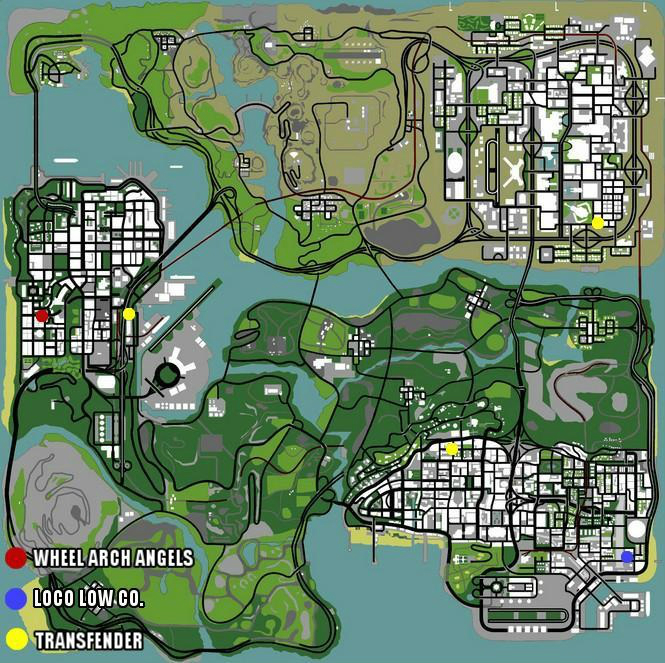
On B-zone servers there are 3 tuning garages where you can tune your car: Loco Low Co, TransFender, Wheel Arch Angels.
The car can be tuned in any garage (Loco Low Co, TransFender, Wheel Arch Angels) regardless of the vehicle model.
Characteristics
- All types of cars can now enter the tuning (not aircraft, boats or motorcycles).
- This type of business has an interior.
- Each tuning garage is marked on the radar with a specific icon.
- Tuning is permanent for personal vehicles.
- The tuning on the vehicle is not lost when selling the vehicle to another player through trade.
- The maximum amount of money a player can spend to install absolutely all tuning components for a vehicle will not exceed 10% of the vehicle's price in DealerShip.
- Tuning owners receive 0.5% of the money spent by players in the tuning garage.
- Players with wanted level cannot enter the tuning garage.
Components
There are a total of 17 categories of components, which are arranged on 3 pages (pages can be changed by pressing the numbers at the bottom of the menu).
For each component category, a certain percentage of the vehicle's value at the DealerShip is paid (only one component from a category can be installed):
- Paint Jobs
- Colors
- Exhausts (Alien and X-Flow)
- Front Bumper (Alien and X-Flow)
- Rear Bumper (Alien and X-Flow)
- Roof - Roof Spoiler (Alien and X-Flow)
- Spoilers - Rear Spoiler (Alien and X-Flow)
- Side Skirts (Alien and X-Flow)
- Wheels
- Car Stereo
- Hydraulics
- Nitro (x10) - Nitro Boost
- Neons
- Hood
- Lamps
- Vents
Component Prices
- Hydraulics: 0.25%
- Nitro (NOS): 0.8%
- Wheels: 0.8%
- Spoiler: 0.8%
- Hood: 0.5%
- Roof: 0.5%
- Sideskirts: 0.5%
- Lamps: 0.5%
- Exhaust: 0.8%
- Front Bullbar: 0.5%
- Vents: 0.5%
- Paintjob: 1.15%
- Front Bumper: 0.5%
- Rear Bumper: 0.5%
- Color1/2: $25 fixed price (Colors are not permanent. For permanent colors type /carcolor or /hiddencolor)
- Neons: 1.15%
How to Tune the Car?
- Once you arrive at the tuning garage, entry will be done using the /enter command or by pressing the LALT key.
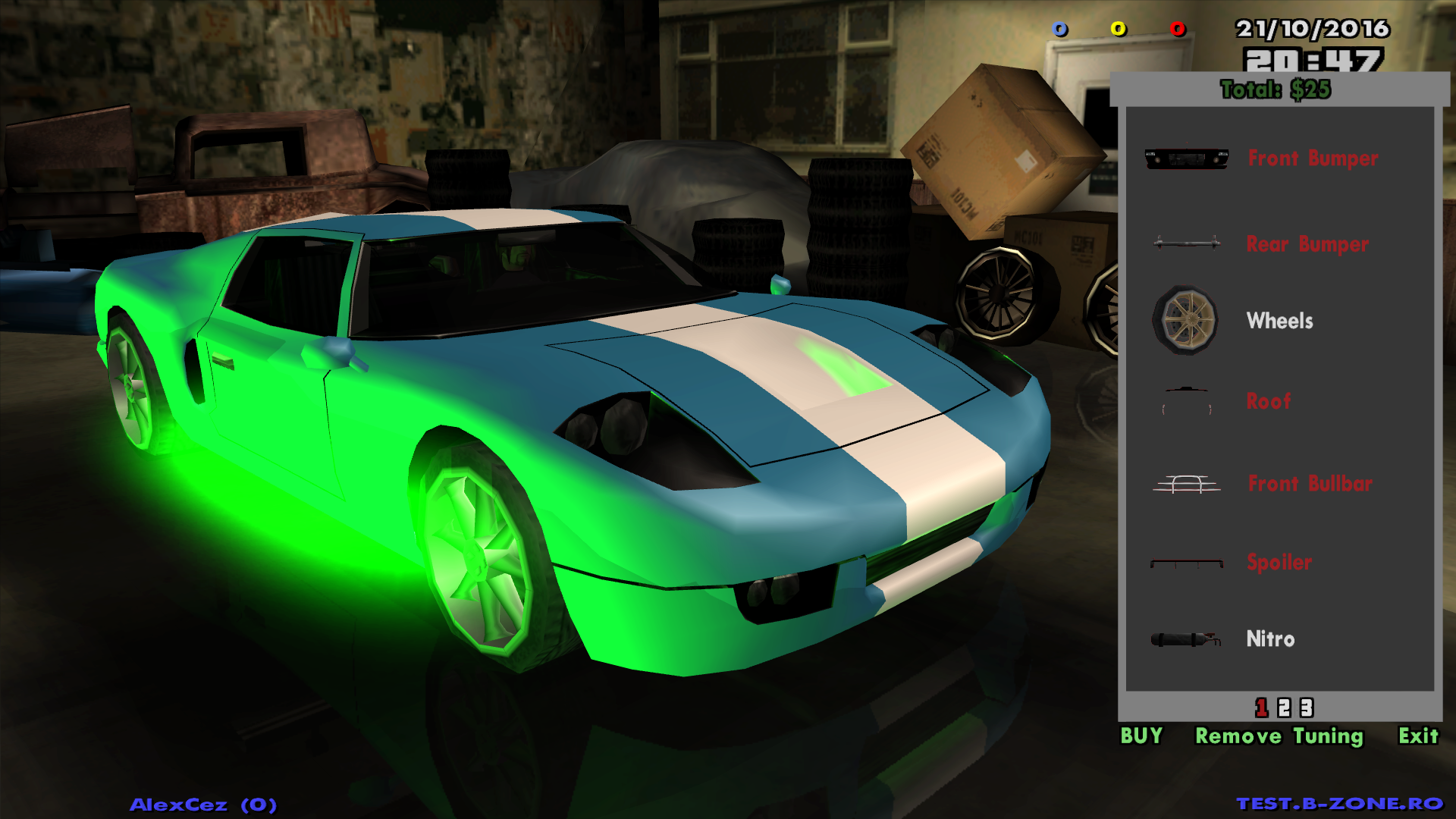
- The component selection menu is positioned on the right side and will list all component categories (wheels, nitro, hydraulics, etc.).
- If the name of a category is red, then there are no tuning components in that category compatible with the vehicle.
- To choose a tuning component from a certain category, click on the name of the desired category, and you will be listed all the components compatible with your vehicle from that category.
- To return to the list of component categories, you can press the Back button. To select and install a component on the vehicle, click on its name.
- When you install a certain tuning component, the camera will automatically position itself so that you have perfect visibility.
- The amount of money is calculated and displayed above the menu as you install tuning components on the vehicle. To finalize your purchases, press the BUY button. To leave the tuning garage without causing any changes to the vehicle, you can press the ESC button on the keyboard.
Premium Vehicles
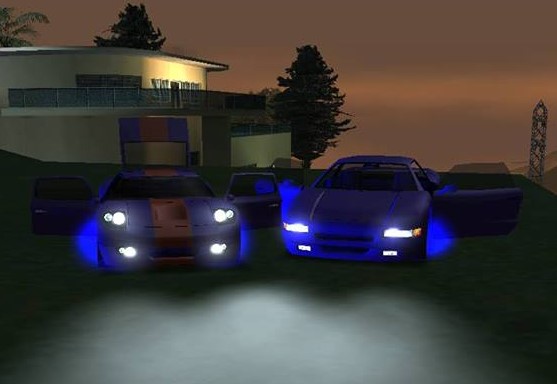
- Only premium vehicles (Infernus, Cheetah, Banshee, Turismo, Bullet, all types of Monster Trucks, all types of Hotring) will be able to have neons installed.
- If a vehicle has neons installed, the driver will have a new option for /tog, called "Vehicle Neons", with which they can turn on/off the neons.
- You should keep in mind that neons do not shine at certain times of the day. They are usually visible in the morning, evening and only in some cases during the day.